
NYMBOR
LOADING

WEB DEVELOPMENT

Turning sharp design into websites that actually work.

We build responsive, fast, editable websites across Webflow, Shopify, WordPress, and custom stacks without losing the design, breaking the mobile version, or making the backend impossible to manage.

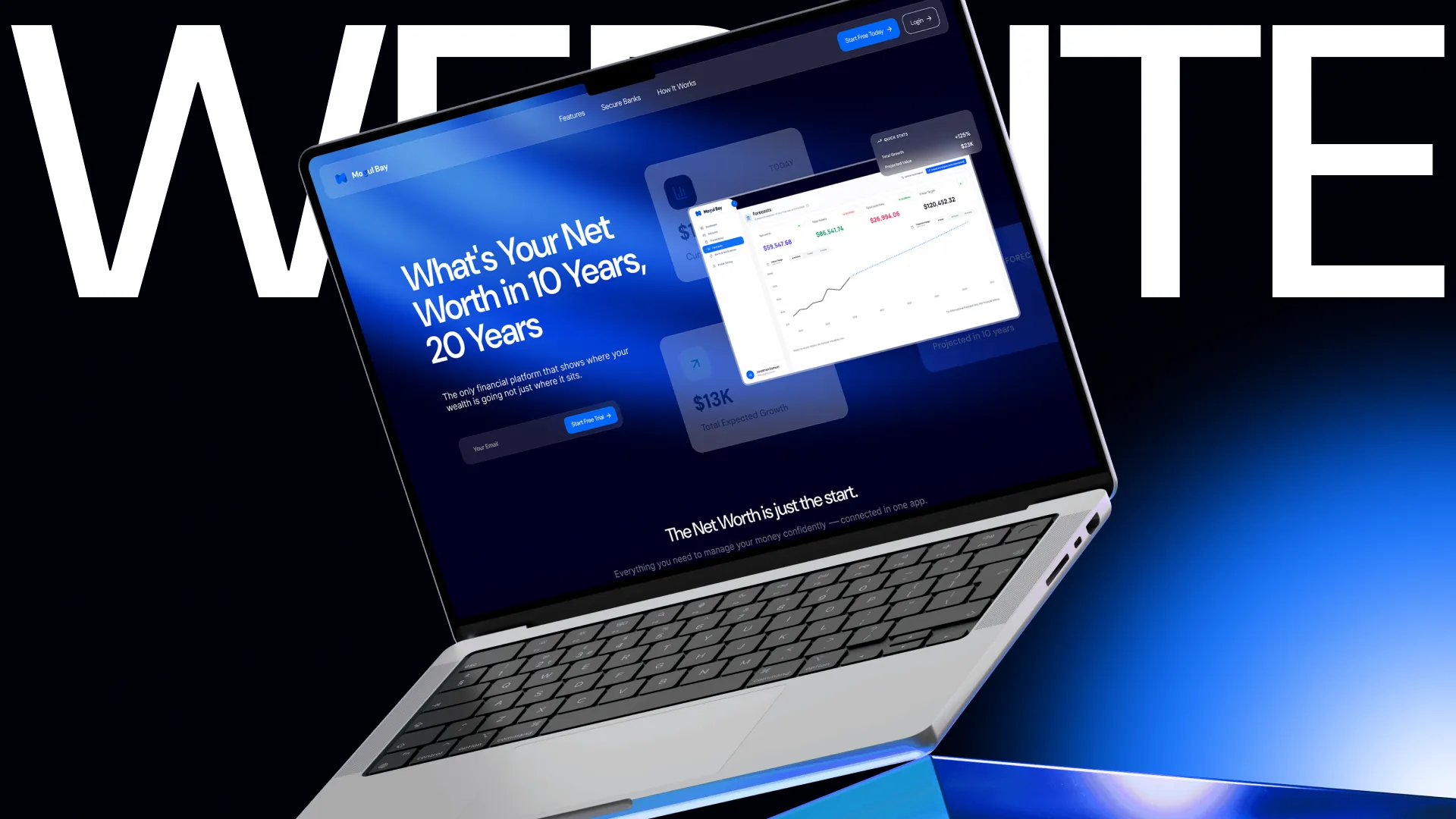
Mogul Bay website build shown on a laptop mockup

DIAGNOSTIC PROTOCOL

Most websites break after the design handoff.

The mockup looks clean. Then the build starts, spacing changes, mobile collapses, content becomes hard to edit, and the final site feels like a cheaper version of the design.

The live site stops matching the design.

Small development changes slowly dilute the original design.

The Nymbor Fix:

We build clean, pixel-accurate CSS that matches Figma 1:1.

Mobile becomes a squeezed desktop.

Poor stacking, misplaced CTAs, and clunky forms make real screens feel unfinished.

The Nymbor Fix:

Every screen is intentionally designed with fluid type, clean navigation, and proper touch targets.

The client cannot update anything cleanly.

Hardcoded content and fragile sections make updates dependent on developers.

The Nymbor Fix:

Structured CMS fields keep layouts intact as content changes.

The site goes live before it is ready.

SEO basics, redirects, forms, analytics, speed, browser checks, and QA details get rushed at the end.

The Nymbor Fix:

Our 23-point launch check ensures everything works before going live.

BUILD CATEGORIES

Builds that stay clean after launch.

We choose the platform based on the job, then build the site so it is responsive, editable, fast, and easy to grow. No legacy templates or over-engineered hacks.

CMS / SEO / BLOCKSRecommended for marketing

WordPress logo

WordPress

Business websites, high-authority blogs, clean Kadence/Blocks builds, custom advanced fields (ACF) schemas, and fast-loading content pipelines.

WORDPRESS BUILD PROTOCOL

CLASS_SYSTEM

Client-First

CMS_RELATIONS

Dynamic Nested

PAGE_WEIGHT

240kb (Clean)

Liquid / Sections / PDP CustomEcommerce platform
Shopify logo

Custom sections, high-converting product detail pages, personalized cart drawers, subscription APIs, product options selectors, and clean custom Liquid template development.

THEME ARCHITECTURE: SECTIONS V2.0

CART DRAW API

Ajax Cart v3

LOAD PERFORMANCE

1.2s First Byte

CMS / SEO / BLOCKS
Webflow logo

Marketing sites, service pages, editorial layouts, CMS collections, complex logic animations, and fast launch-ready websites with clean CSS structures.

Optimized DB EngineZero bloat plugins
Next.js / React / App UI

N.E.X.T.js

Custom front-end builds, app interfaces, API integrations, fast deployment, and type-safe systems for teams that need more control.

Vercel Cloud DeploymentTypescript safe
Conversion / Rapid

High-Conversion Landing Pages

Fast, focused single-page funnels constructed directly to support campaign conversions. Optimized checkout links, clean scroll mapping, and dynamic content injection.

A/B Tested Speed100% Mobile Ready

SYSTEM SYNTHESIS

Where the design stops being a picture.

A design can look amazing in Figma and still fail in the browser. Development is where the system has to hold: the layout structure, CMS schemas, mobile screen adaptivity, fast server speed, SEO titles, and final QA. We build that layer carefully so the final site feels like the design, not a downgrade.

STAGE 01 // FIGMA

Visual Layout Frame

  • - Styled frames
  • - Color Palette system
  • - Editorial mockups

STAGE 02 // CODE

System Compilation

  • - Compiled components
  • - Dynamic CMS models
  • - Fluid responsive grids

STAGE 03 // LIVE

Live Production

  • - Fast browser renders
  • - Secure contact forms
  • - Lighthouse 100 Speed

DEVELOPMENT TIMELINE

How we take it from Figma to live.

Our linear, logical launch path keeps you fully aligned without surprise delays or lost design layers.

Stage 01

Review the design

We review the design, responsive behavior, CMS, interactions, and forms before coding.

Stage 02

Set the structure

We build the site structure, reusable sections, CMS collections, and custom routes.

Stage 03

Build front-end CSS

We precisely match typography, spacing, layouts, imagery, and motion.

Stage 04

Connect back-end CMS

We build editable content, structured data, forms, APIs, and checkout flows.

Stage 05

QA and validation

We run a 23-point QA check across responsiveness, bugs, SEO, redirects, and speed.

Stage 06

Support & launch

We handle DNS, performance optimization, CMS training, launch, and ongoing support.

Frequently
Asked
Questions

Who do you work with?
Can you redesign my existing Shopify store?
What does Nymbor do?
What makes Nymbor different?
Do you help with product pages?
Can you improve conversion rate?
Do you work with existing brands?

LAUNCH SYSTEM CONTROLS

Have a design that needs to become a real working site?

Send us your Figma file, current site, or build notes. We will tell you what stack makes sense, what can break, and how cleanly we can build it.